

Your virtual card.
Into everyday life.
The BullSwipe virtual card, in the BullSwipe app.
VIRTUAL CARD / IN THE APP

Bring USDT and USDC into your everyday spending. Convert to a USD balance with BullSwipe.
Join Early Accessvirtual card in the BullSwipe appFunds held with licensed custodial partners.
The BullSwipe virtual card, in the BullSwipe app.
Illustrative app screens.
Figures shown are examples.
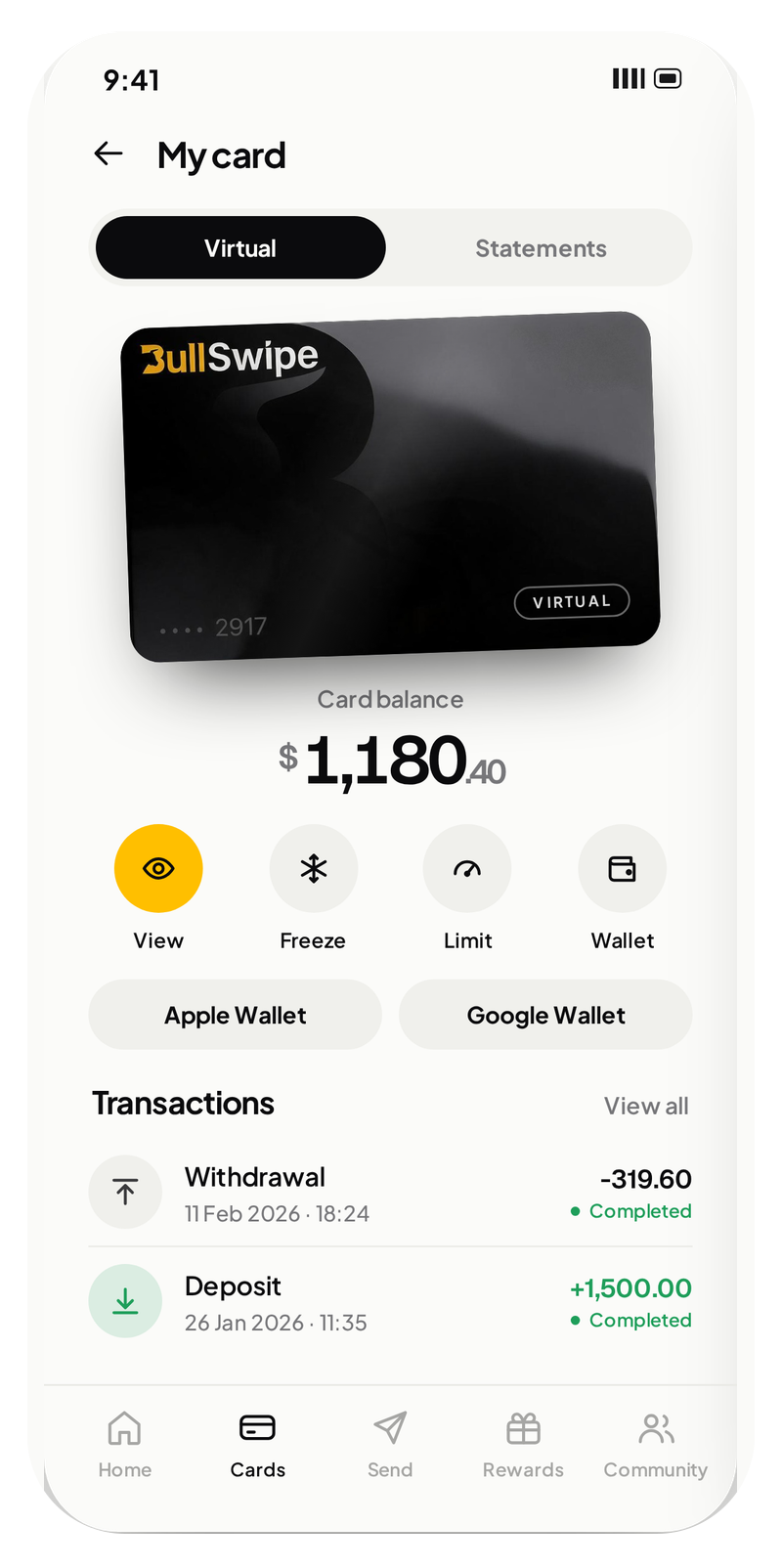

The BullSwipe virtual card, in the BullSwipe app.
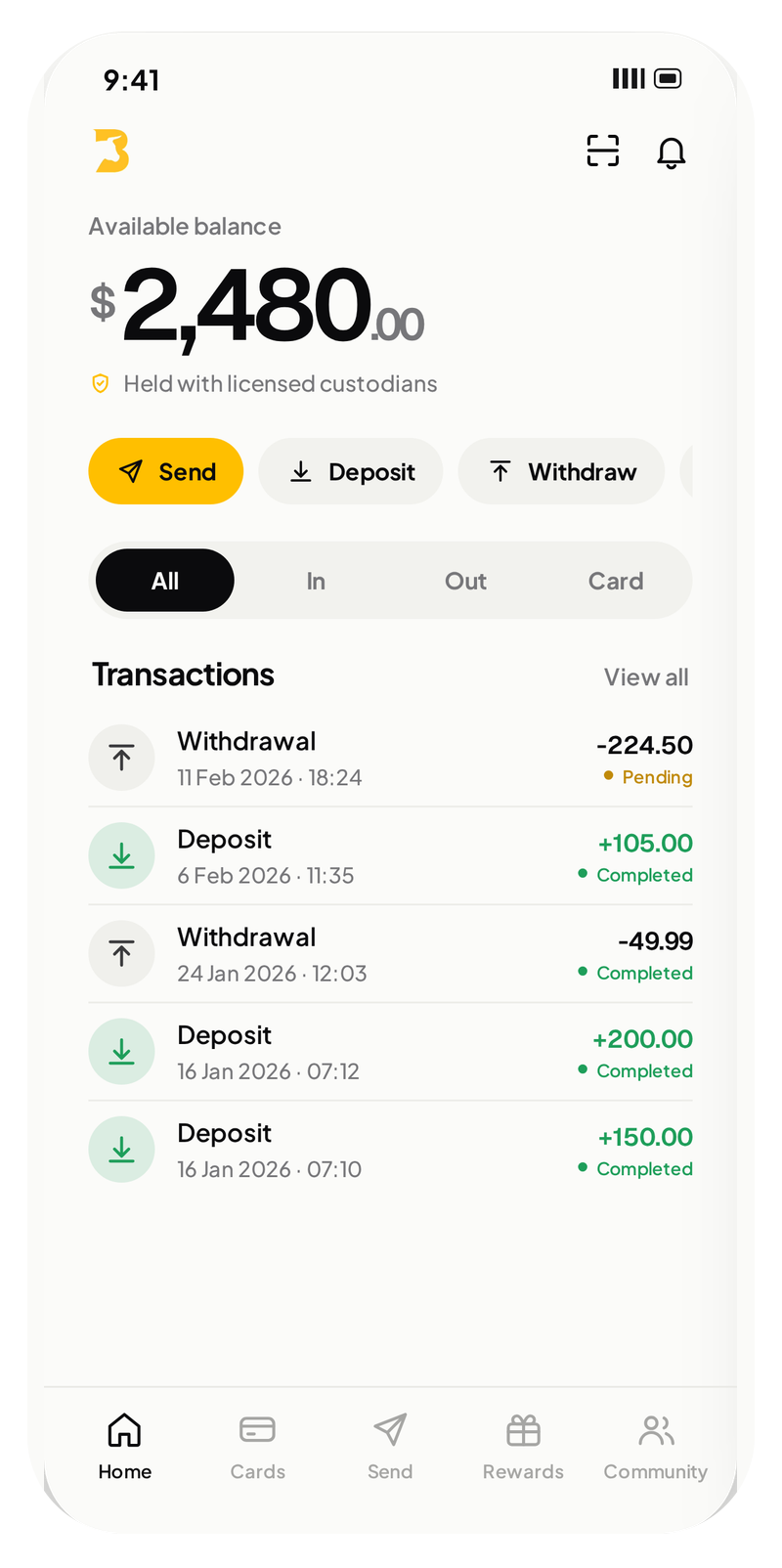
Convert USDT or USDC to a USD balance for virtual-card spending.
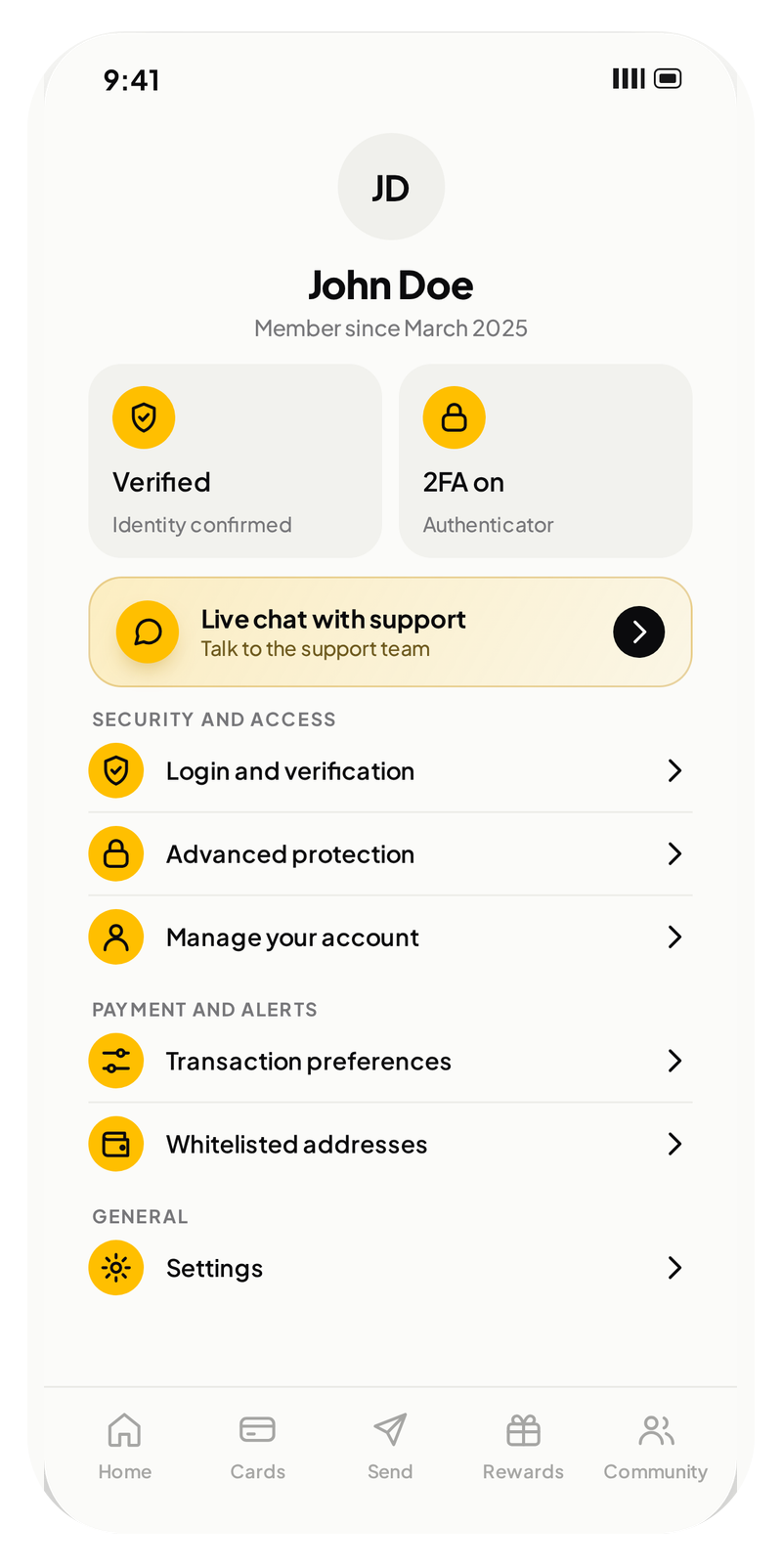
Your profile, support and app settings, together.
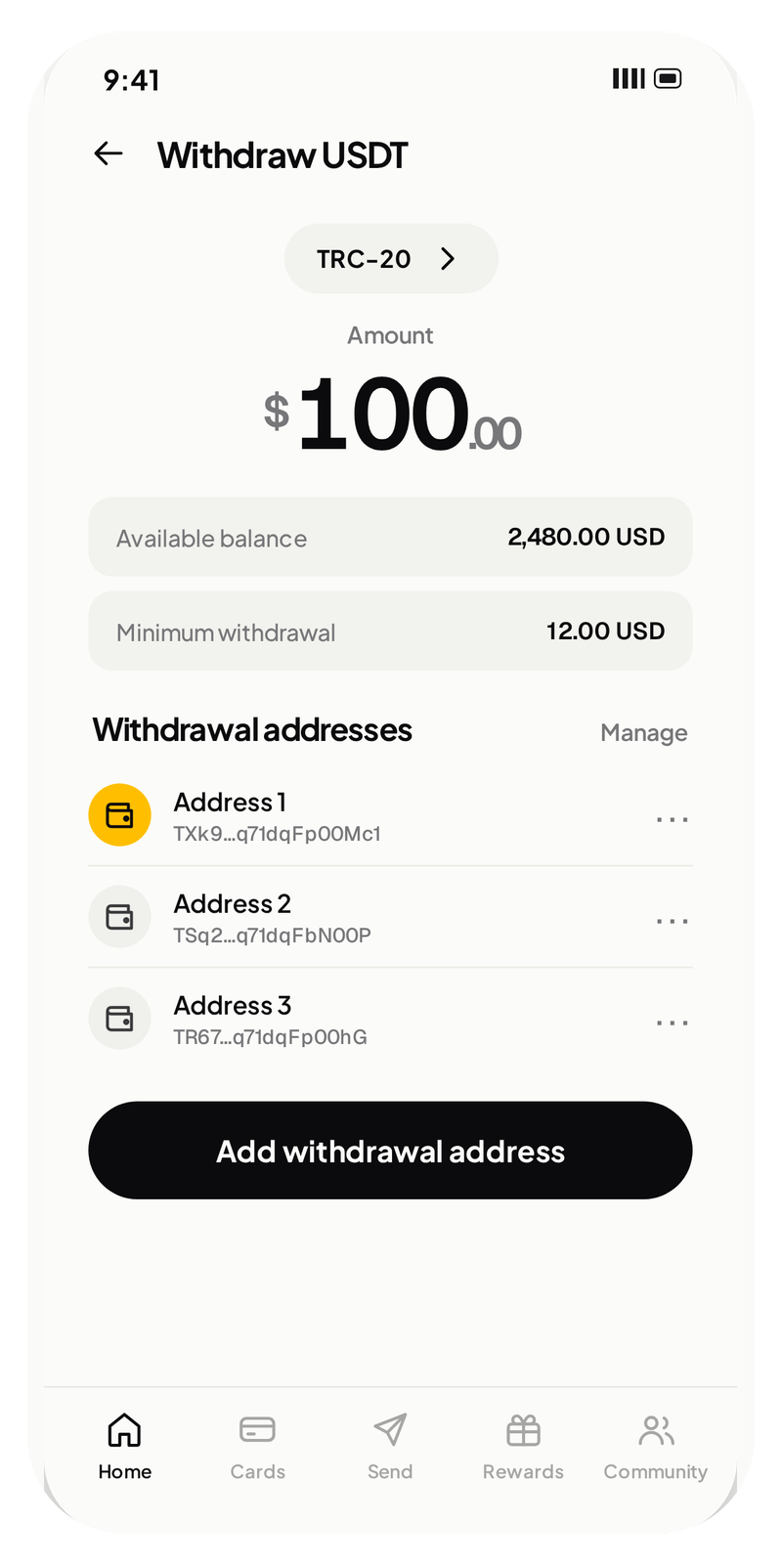
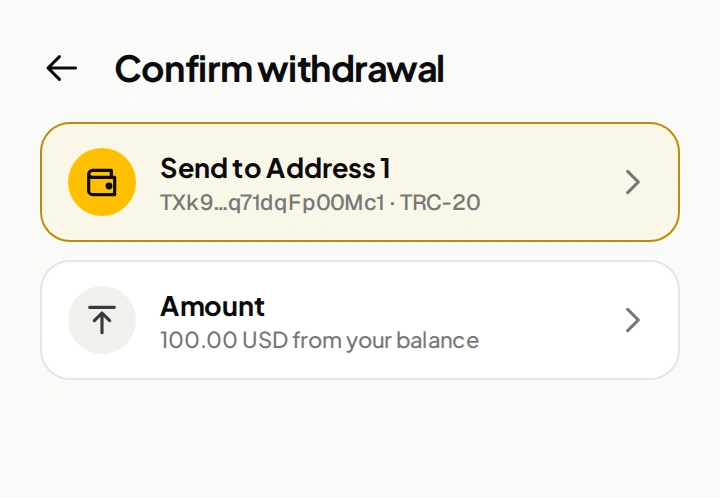
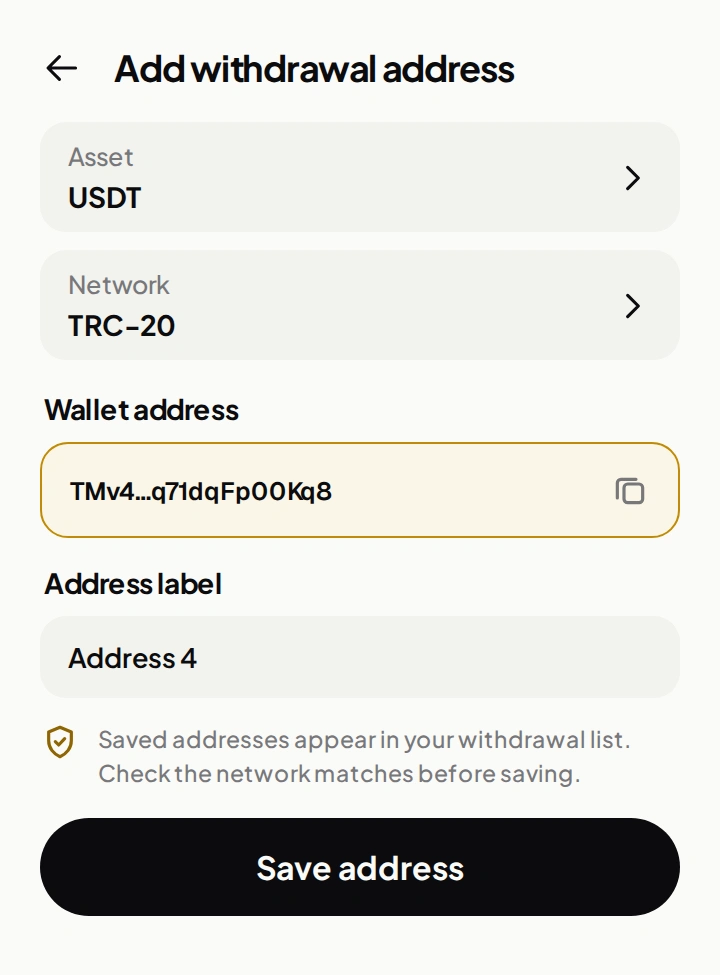
Send crypto from BullSwipe to an external wallet.
 Exhibiting · Booth C27
Affiliate World Asia · 9–10 December 2026
We’re exhibiting at Affiliate World Asia. Meet the team to explore affiliate, creator and distribution partnerships.
A morning coffee.
A late train. Your next chapter.
Everyday looks different everywhere.
Illustrative activity, not customer transactions.
Fictional purchases. Real local times.
 Apple Pay✓
 Google Wallet✓Google Wallet✓Google Wallet✓Apple Pay✓Google Wallet✓Apple Pay✓Google Wallet✓Google Wallet✓Google Wallet✓Apple Pay✓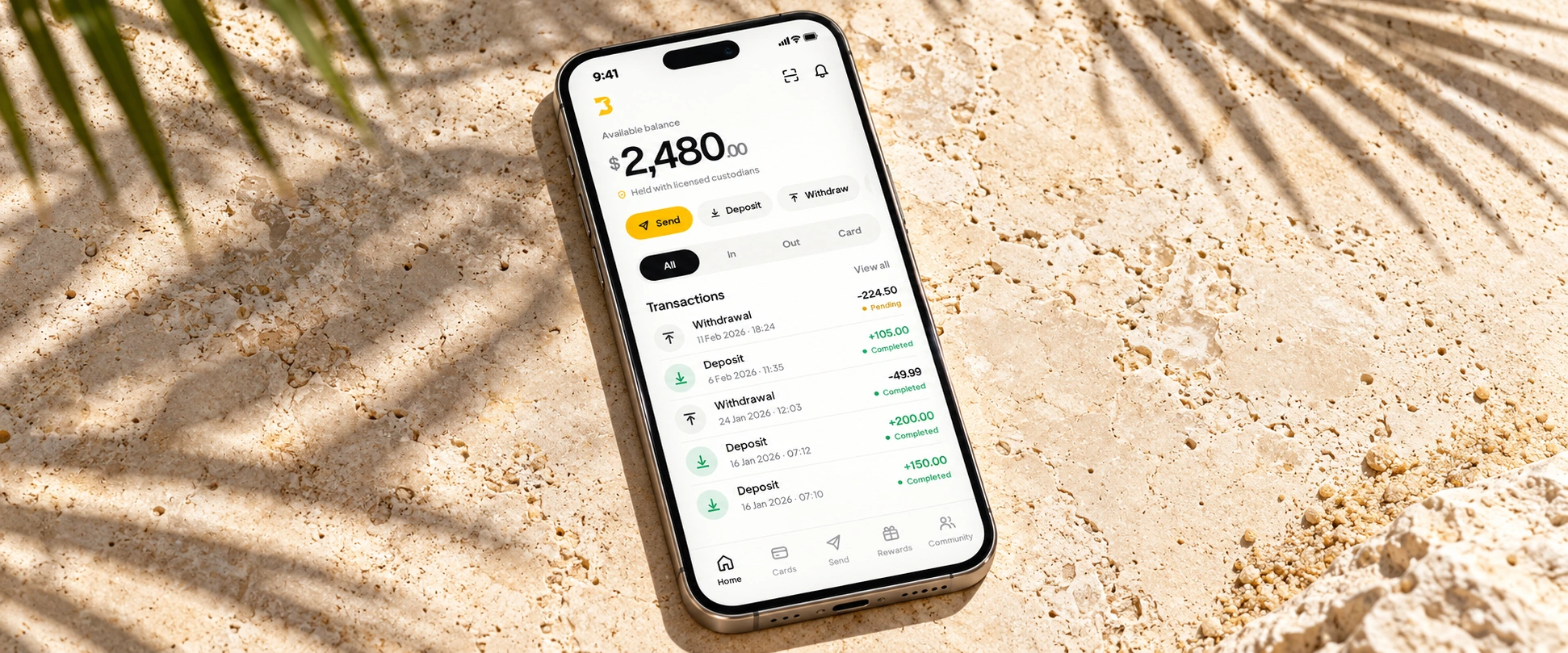
Convert USDT or USDC to a USD balance for everyday card spending.
Send crypto to an external wallet when you need to move it on.
Spent through the BullSwipe virtual card.
BULLSWIPE / GETTING STARTED
Five chapters to help you understand BullSwipe.
From availability to everyday spending.
Product availability varies by jurisdiction.
Card availability, Apple Pay and Google Wallet.
A clear answer before your next move.
Choose a country to bring it into view.
Onboarding, card eligibility and mobile-wallet support are separate. Onboarding list: 23 September 2026. Card and wallet records: 4 September 2026.
Explore your virtual card, USD balance and crypto withdrawals.
Available in the BullSwipe app.
Convert USDT or USDC to a USD balance for virtual-card spending.
Check Apple Pay and Google Wallet support for your country. Card eligibility is separate.
Send crypto from BullSwipe to an external wallet.
BullSwipe Early Access
Join the early-access list for updates from BullSwipe.
Joining does not guarantee access or confirm product eligibility.

PERSPECTIVES / GUIDES / UPDATES
Practical guides to stablecoin spending, account security and using BullSwipe.

New to crypto spending? Learn how BullSwipe virtual-card purchases work online and through supported Apple Pay or Google Wallet payments, at home or abroad.
Read the story
Check eligibility, mobile-wallet support, essential payment requirements and account access before travelling with a virtual card.
Read the story
Understand custody, control of keys and account recovery. Learn which questions to ask about how funds are held.
Read the storyEditorial graphics. App screen shown for illustration; figures are examples.
Start with the essentials below.
Find more in the complete BullSwipe FAQ library.
BullSwipe converts USDT or USDC to a USD-denominated balance for spending through the BullSwipe virtual card.
Explore the appBullSwipe supports USDT and USDC. These stablecoins can be converted to a USD balance for virtual-card spending.
See how spending worksYes. BullSwipe requires identity verification. You must provide the information and documents requested to verify your identity; access may be refused or limited if verification is not completed.
Read the termsCheck your country for the BullSwipe virtual card’s status: Available, Restricted or Not confirmed. A country appearing in the directory does not by itself mean the card is available there.
Check your countryApple Pay and Google Wallet availability varies by country. Check each wallet separately from BullSwipe virtual-card eligibility; an available wallet does not by itself mean the card is available.
Explore wallet availabilityYes. BullSwipe supports sending crypto to an external wallet through the app’s withdrawal feature.
See your next moveThe BullSwipe virtual card is available in the BullSwipe app.
Explore the virtual cardNo. BullSwipe does not require a native token or capital lockup.
Explore BullSwipeStill have a question?Contact support
Get BullSwipeYour stablecoins. A USD balance.
One BullSwipe virtual card.


